Quick backstory …
I had checked in every few months to see how the 🤖 were doing at writing and enhancing code, and for a couple years it wasn’t very impressive. I couldn’t significantly trust it the code it wrote, and I kept spinning my wheels keeping it on the rails – the value prop just wasn’t landing with me. And at the prices they were charging for their precious tokens, and the tools surrounding the LLMs weren’t mature, and the legitimate privacy panic … I just hadn’t gotten the gains I expected, and waiting until the models and tools became better was a good option for me.
For the last year I’ve used generative AI to ask questions, do some research and compare products, which was helpful but not the killer feature. It was a better search engine than a search engine, though. Brave Search’s AI Overview was my first really good experience with LLMs.
Around the release of Claude Sonnet 4.5, the models seemed to really work for me, saving me real time and improving my developer experience. It really just took getting my hands on a set of capable agents to be my assistant. I’m not quite ready to say “colleague” yet.
I started slow by guessing which model to use 🤷♂️, asking Copilot to write some pure, testable functions, and seeing what it came back with. The first response was pretty good, and a few follow-up queries/commands later it was done. I’m a bit obsessive at times about code style, but I knew I could configure that problem away.
Lately, I’m straight up vibe coding. I don’t even use double quotes anymore, it’s a real thing and the productivity gains are delightful, even if the term is silly.
Vibe coding is where you’re essentially asking questions and describing the desired state of your software, and telling the model to make it happen. I’ve experimented with giving both vague and specific prompts, just to see what it comes up with. I recommend you do the same, and often, as new models will behave differently and it’s nice to get to know your coworkers tools.
But it’s not perfect, and so I’m compiling some of the experience I’ve picked up – the amazing & the painful – and writing up a 1000′ AGL view. In aviation, it’s a typical airport traffic pattern, so you’re high enough to maneuver but low enough to see the details on the ground.
It’s the highest-level language
Keep this mind when thinking about AI as a collaborator writing your code:
Your native language is the highest-level language.
Developers use higher-level languages all the time, we’re not writing machine code or assembly directly. What you type in a prompt is likely pretty close to what you’re thinking in your head. In your native language. And it’s less typing, a lovely perk for someone with two carpal tunnel surgeries. And if you don’t have officemates nearby, you can dictate your prompts lightning-fast.
And if you do have officemates nearby, please don’t talk to 🤖 where they can hear it all day. Those AirPod batteries don’t last that long. (Work-from-home life ☮️ 💙)
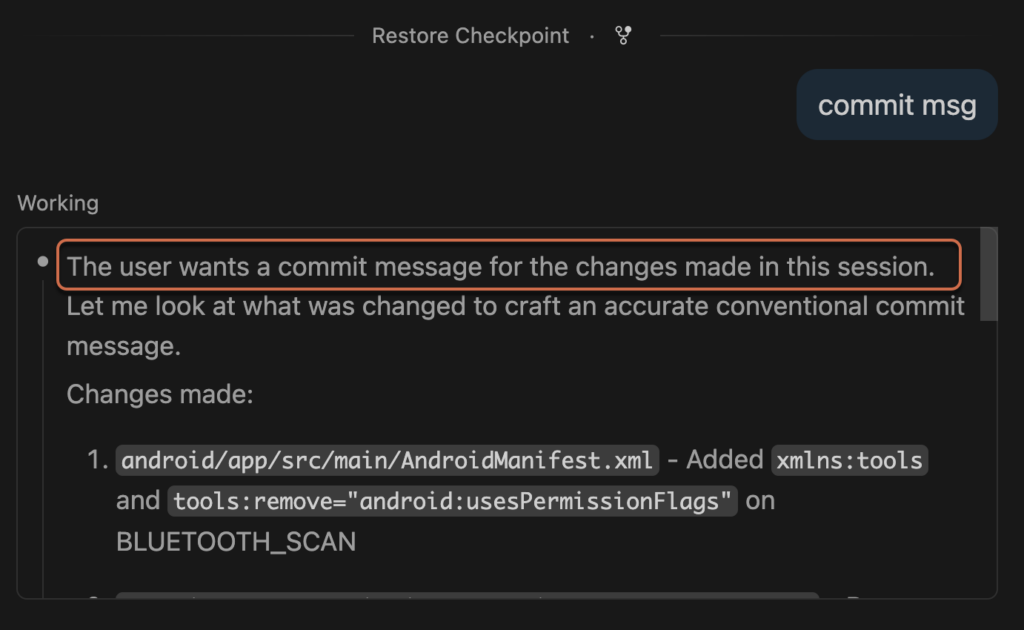
It writes detailed conventional commit messages for me
DX includes developer efficiency, and when you only have a bit of personal time for slinging code, saving me a minute or two for a thoughtful message every commit adds up.
Examples
- “write a commit message for the changes staged in git”
- “write a conventional commit message”
Tips
- There’s an AI icon in the git panel that will write an ok message, but I usually use the agent panel.
- Add a section detailing the type of commit message you want to your
AGENTS.md(or.github/copilot-instructions.md)
## Commit Message Format

When user asks for a commit message, provide a detailed conventional commit in a code block.

Template:

```bash
type(scope): brief description

- What changed
- Why it changed
- Key implementation details
- Validation performed
```

Example:

```bash
feat(beacon): add modular iBeacon demo architecture for XIAO ESP32-S3

- Added board-aware app/ble/demo/power module structure
- Implemented NimBLE-based iBeacon advertiser backend for ESP32
- Added store, shelf, and bay rotating demo scenarios
- Added configurable performance/balanced/endurance power profiles
- Set PlatformIO default env to XIAO ESP32-S3 with 115200 monitor speed
```
- Best to do it after a chat with the agent so it knows the context, it’s not as good analyzing what’s been added to git (be sure to experiment with this yourself!)
Parallelize yourself
Multiple chat sessions allow you to work on disparate things at the same time. My workflow in Copilot is:
- New topic, new chat
- Click the Keep button when I’ve accomplished my task for that session
- Verify things build and run correctly, then stage it in git (
git add) to remind myself what I’ve already read & approved - Try to keep commits/PRs focused even with multiple agents making changes concurrently, ask the AI to write my commit message.
- Commit/push/merge/etc, archive the chat
- Pick back up on the next chat waiting for my attention
Tips
- Think about your different chat sessions like a giant merge queue, as more sessions and more files that get stepped on you will yield a much tougher time isolating your changes for reviewing/testing/committing.
- Use the “Keep” button when you’re done with a chat. Archive it if you’re not intending to come back to it, that’ll keep your recent sessions list cleaner
- Starting a new question/topic/feature? Open a new chat, if it’s not related to your current one, there’s no reason to bring all that context along for the next convo 🧳
- If you’re context window gets near 100%, the AI might compact itself. Either way, that’s a signal that you might want to use a new chat session to continue. (Again, something to experiment with yourself.)
- Multiple chats aren’t that great UX-wise, maybe they will be soon 🤞 In fact, Copilot in VS Code has improved it’s interface by a solid 8.2% since I first started!
A warning
Parallelization can be tough when you’re writing code that requires review. PRs should be focused and small- to medium-sized, large PRs are simply more difficult for collaborators to review. When working on side-projects as a single developer, I often put disparate changes in a single commit, and they’re occasionally unwieldy. Copilot is writing my detailed commit messages, so my commits are still very searchable on GitHub, and I’m reviewing my own code so how could that go wrong … but you’re going to need to find a way for your code assistant to keep unrelated code separated when being reviewed by others.
I haven’t figured that out yet, but I haven’t had to 🤷♂️
It writes my documentation for me
I’m working the most on side projects, so the docs are just for me. But when an LLM is writing so much code for you, it’s important to remember the goals and the context behind your queries. You can certainly attempt to crawl back through your chat history to find what you were actually trying to achieve, not just the code it wrote at the time, but that’s inefficient and different models/UIs are better/worse than others when it comes to retaining/searching chat history.
And trust me, it’s better than you are at keeping your docs in sync with the code.
Tips
- As you implement features and solve complex problems, ask your AI assistant to document your code and markdown files with why certain decisions were made and any gotchas you might run into later.
Seriously, do more than skim the code
A serious engineer doesn’t blindly commit code they didn’t read or write. Force yourself to look at the chat’s diff (by clicking on the “files changed”) and see what each chat session is changing.
Use git as usual, and often! When you’ve got something working well enough, stage those changes in git file by file. By viewing all the changes in the normal Source Control panel, it’s easy to review one, stage it, and on to the next. You’ll have ensured that you at least laid eyes on it, and had the opportunity to dig into anything that needs improvement and understand the high-level structure and functionality of what’s being implemented.
In my current project with 10+ Bluetooth beacons with support for different boards/chips, and different screens and such, complexity is high. In my side projects I’ve put eyes on 70% of the code written by Copilot, and I’ve at least read the summaries of changes for the other 30%. I don’t get to sling a lot of production code at work as a manager, but if your code runs billion dollar businesses, you should be striving for 100% eyes on code.
Is that good? I dunno 🤷♂️
I do put eyes on the libraries it imports 100% of the time, that’s where you must think about the security of your firmware, as well as the size of deployed code – especially on embedded devices. For all external code, I look for good documentation, community support, release cadence, and how many issues and PRs are open (and for how long).
Copilot has earned some trust around code with low risk changes, writing test suites, and many developer experience boosts. Not reading every line gives me time to re-invest in boosting my productivity in VS Code, for example. Or my feature development. I just retain my skepticism any time I’m importing external code, or it wants to make changes outside my workspace folder.
Keep an eye on your context window
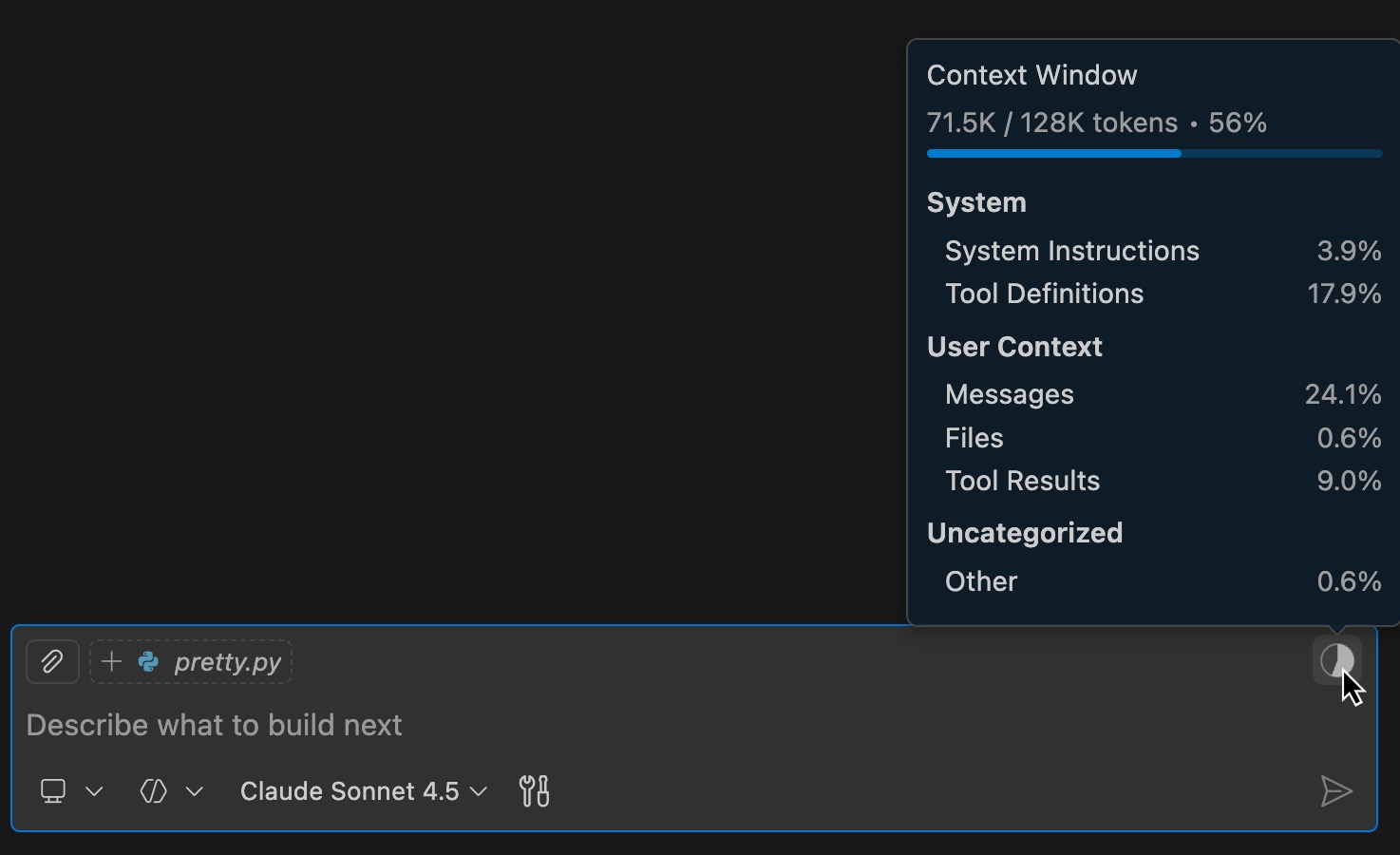
When your Context Window passes 100%, you can expect the chat session to start forgetting things. If it can’t remember your original prompt, or the previous steps that didn’t work, it’s more likely to go off the rails or forget the problem in the first place.
Tips
- When a chat’s context window gets close to 100%, it’s probably time for a new chat
- You can reduce how much you have to restate to Copilot in a new chat by asking your agent to document things in Markdown so it can reference it in future chat sessions.
Ask Copilot to make your developer experience better
- Tell it to automate things for you. I regularly ask it to create helpful/repeatable scripts for me, and make them quick to execute with VS Code Tasks and/or Build Tasks.
- I’ve learned so much about what VS Code can do, and it’s been my “daily driver” IDE for a long damn time.
Want to keep an eye on what Copilot is doing?
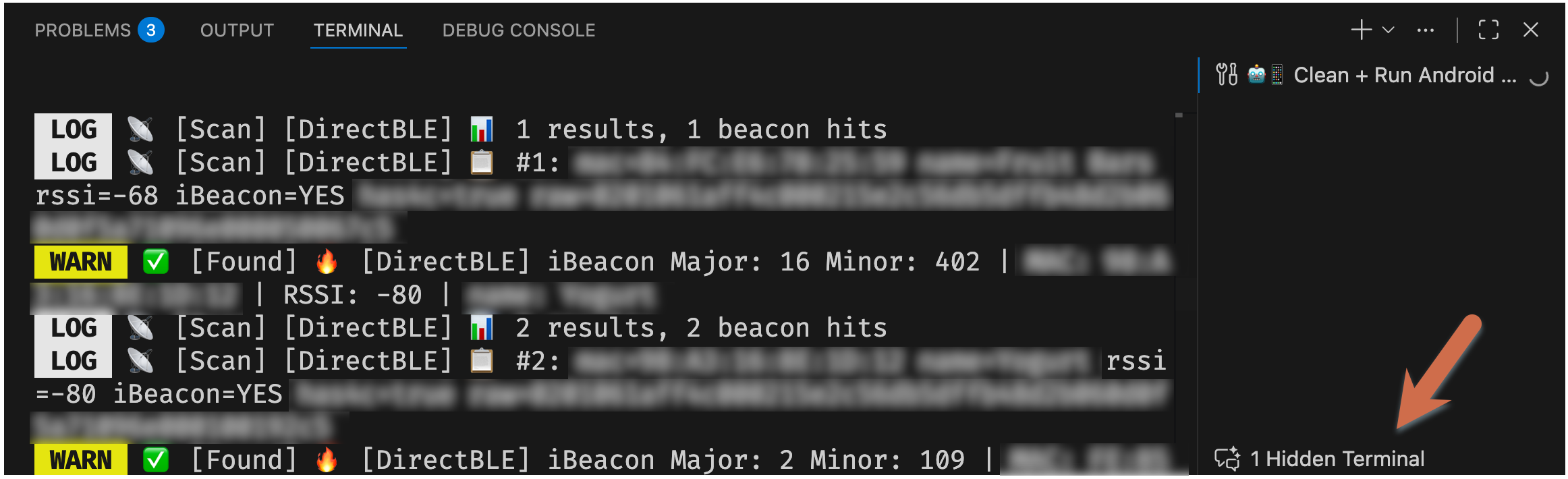
If you open your VS Code terminal (control+`) and look for hidden terminals! You’ll often see a small window scrolling by quickly in chat with console output, but expanding those hidden terminals lets you follow right along with the AI.
Just click on the Hidden Terminal and it’ll pop out in a full terminal tab.
Again, it’s not perfect
The tools and interfaces are getting better rapidly. VS Code’s Copilot just dropped a more helpful session context button since my last update, and Gemini on the web and native apps finally has the ability to search previous chats.
If you haven’t yet tried out a coding assistant, ask yourself “why?”
I’m well-aware of the dangers of what AI can do and/or become, but it’s also not going away. I was never an AI hype guy, so retaining some skepticism of the claims made by companies, the code written by models, and the use cases where AI actually makes something better is healthy. The environmental impact is scary, and the cost of energy and electronic components is stratospheric. The political mischief and straight-up disinformation is a real threat to entire nations. Maybe we should stop this car and turnaround right now, like my parents always threatened.
Then again, keeping your head in the sand isn’t the solution, either. Don’t fall behind the technology so much that your peers and competitors and passing you by. Voice your concerns about how AI should interact with your customers and partners, and be the one to guide your company or team towards pragmatism when the kool-aid is getting too sweet.
I’m a people manager in essence, so I don’t get that quick gratification of writing code much during the day. And this is the most fun I’ve had slinging code late at night in a while!
It also generates quick featured images for blog posts 😉